
Bundle Builder: Build a Box & Mix and Match Gift Boxes
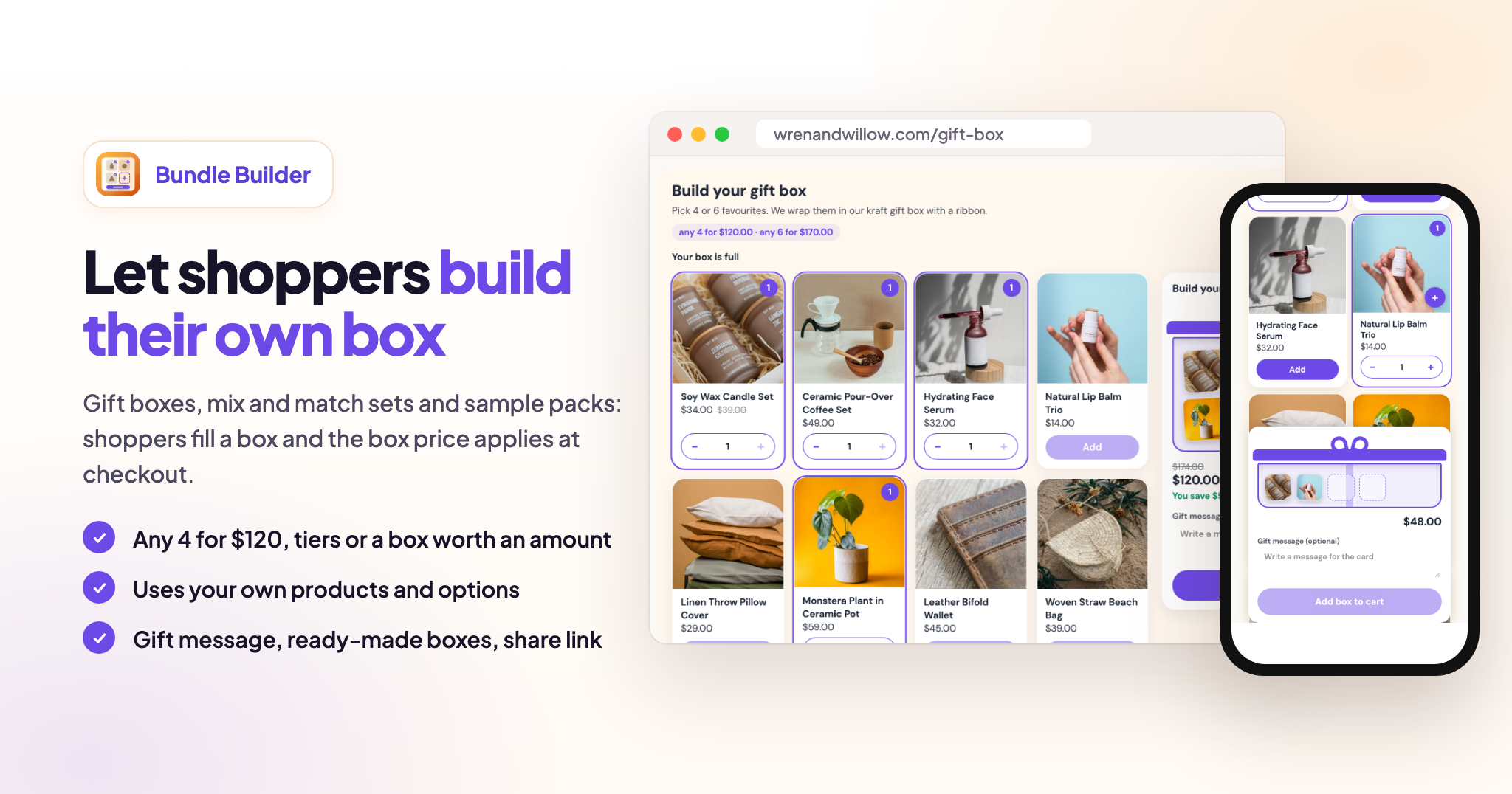
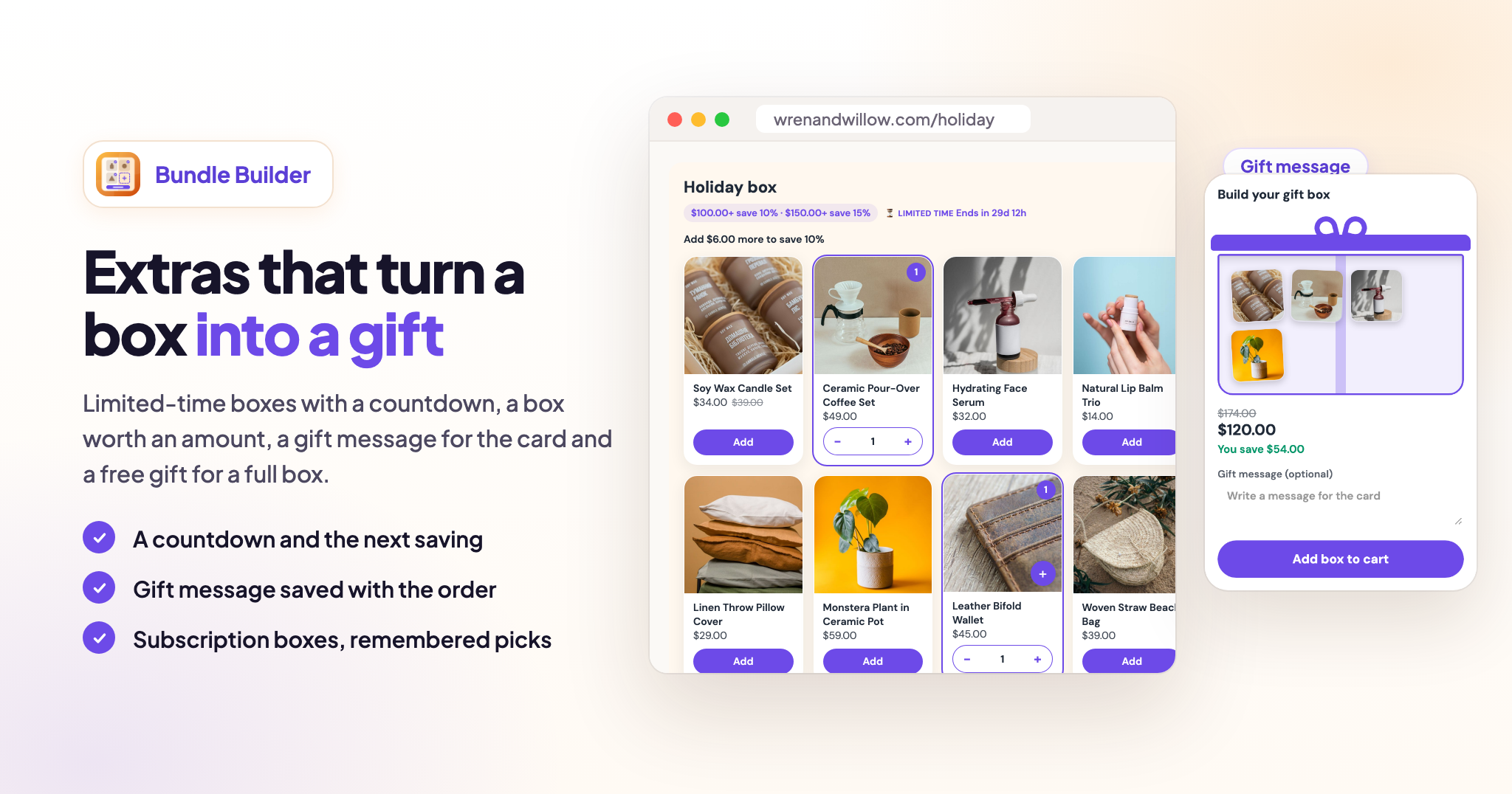
Let shoppers build their own box: gift boxes, mix and match sets and sample packs with a box price at checkout.
- Shoppers fill a box from your products, the box price applies at checkout
- Box prices, percent off, tiers, set bundles and boxes worth an amount
- Gift message, ready-made boxes, limited-time and subscription boxes
- Ongoing monitoring — Track catalog changes, readiness scores and issues as your products evolve.
Turn single products into bigger orders: shoppers pick their favourites into a box, and the box price or saving comes off at checkout.
Shoppers build their own box
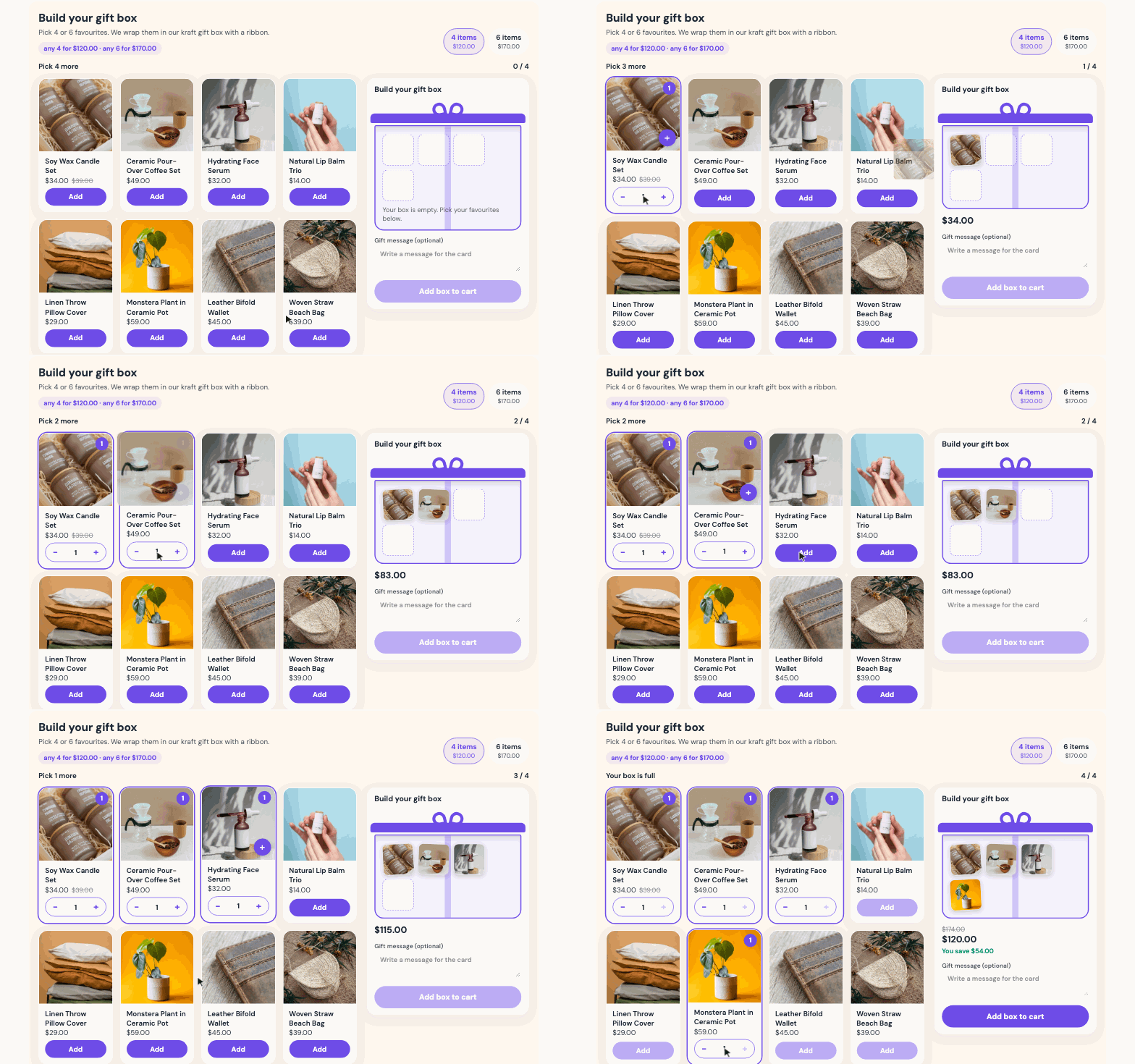
Each box gets a page of its own with a builder: shoppers add items, see the box fill up and the price drop, and add the whole box to the cart in one click. Every item goes in as your normal product, with its options, stock and SKU, so orders and inventory work as always.
Every kind of box
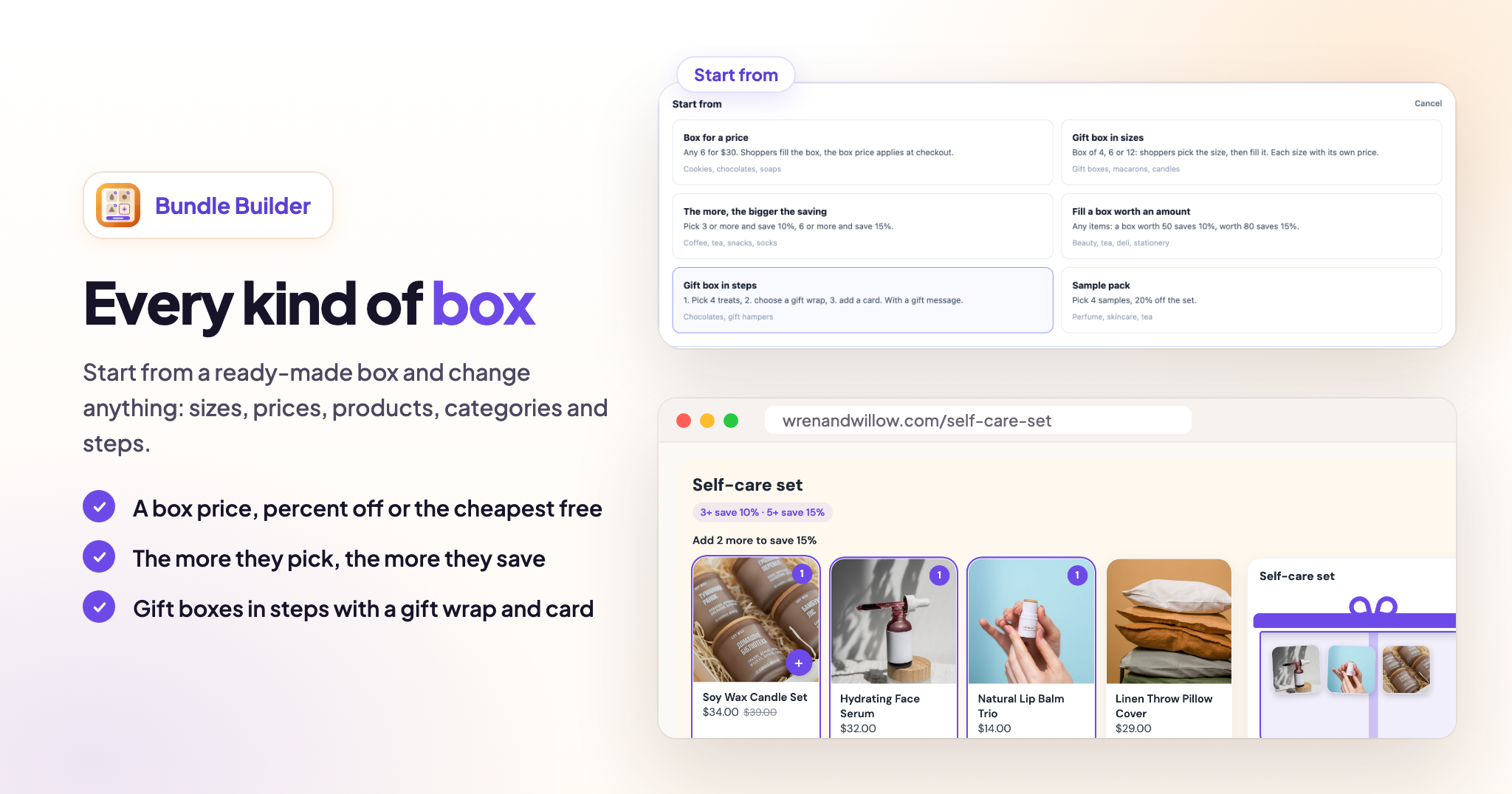
Any 4 for a price, a box of 4, 6 or 12 with a price per size, percent off a full box or the cheapest item free. The more they pick, the more they save: 3 or more save 10%, 5 or more save 15%. A box worth an amount: fill a box worth $100 and save 10%. A set bundle: 2 candles and a diffuser for $49, shoppers only pick the scent. Gift boxes in steps: pick 4 treats, then a gift wrap, then a card. Start from a ready-made box and change anything.
Found where shoppers already are
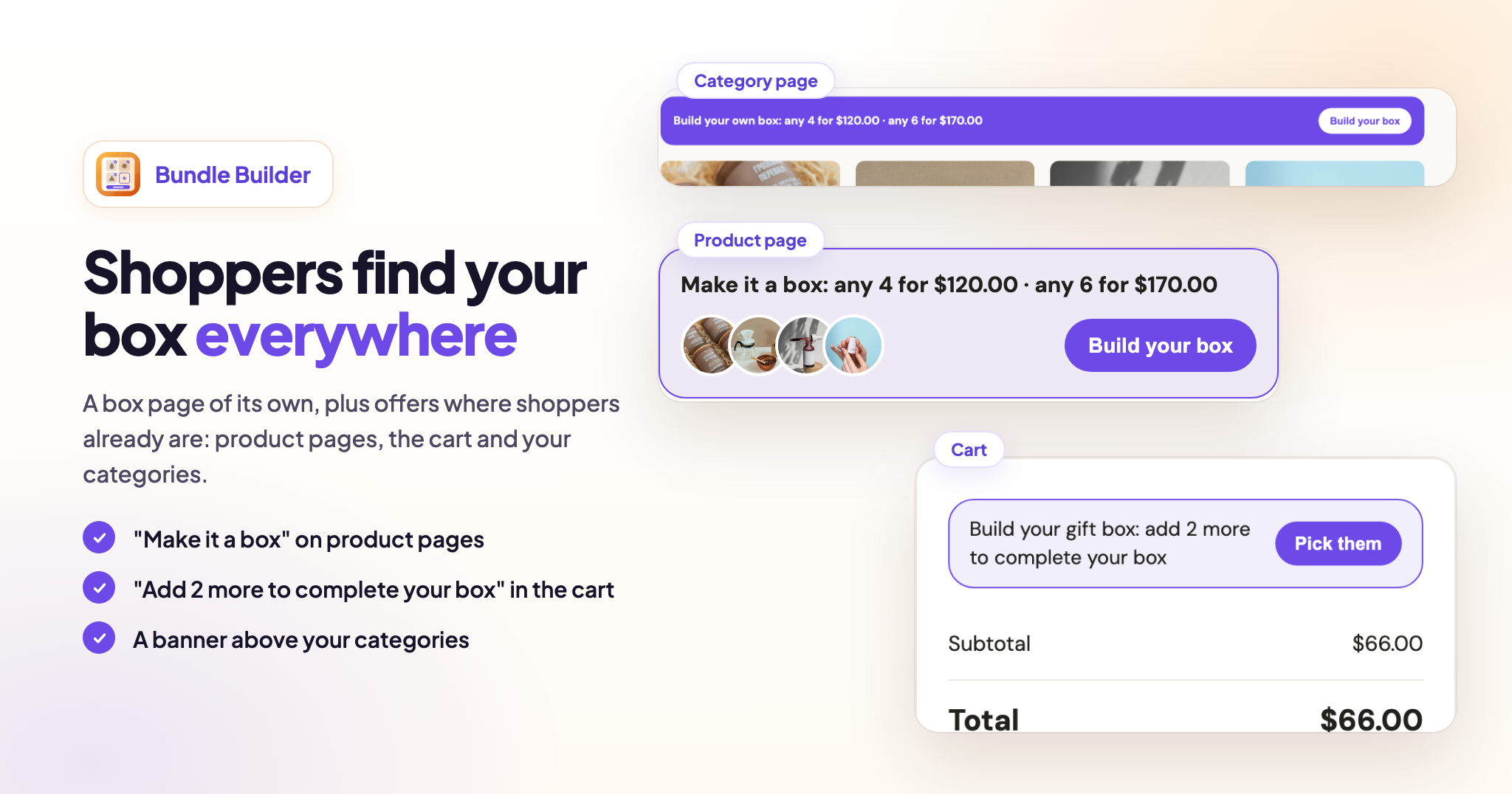
A "Make it a box" card on the product pages of the box's items opens the builder with that item already in it. In the cart, "Add 2 more to complete your box" brings shoppers back to finish. A banner above your categories leads to the box page.
Extras that turn a box into a gift
A gift message field (saved with the order), a free gift for a full box, ready-made boxes shoppers add in one click or start from, automatic boxes filled with your best sellers, a share link for a box, picks remembered for 30 days, limited-time boxes with a countdown and subscription boxes for products you sell as subscriptions.
Your look
Six styles, your colours, a grid, a grid with the box beside it or a list, the box shown as slots, a bar, a count or a gift box picture, on the box page or in a popup, centered, as a side drawer or full screen. Every text in every store language.
How does it work?
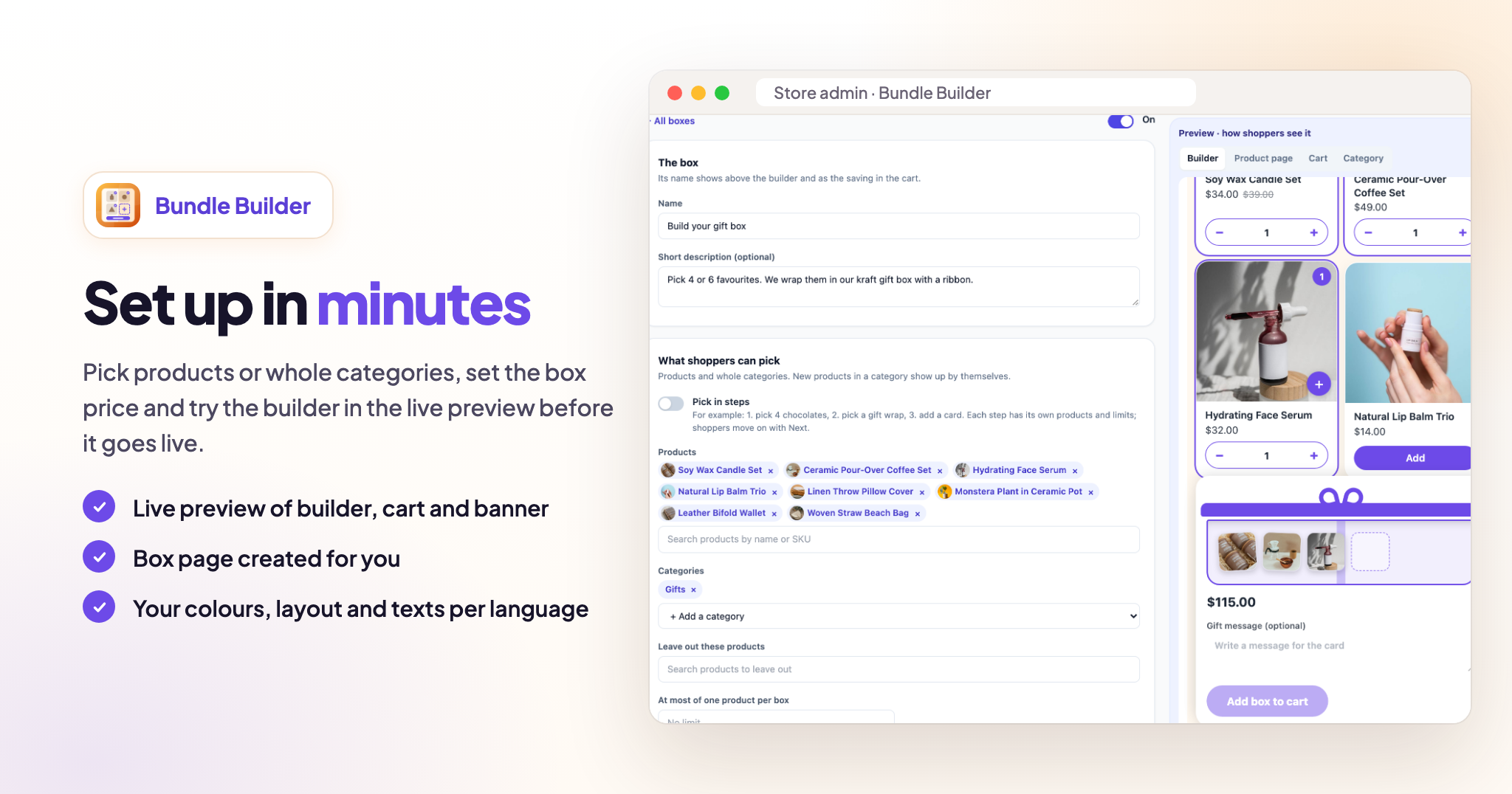
- • Install Bundle Builder and start from a ready-made box.
- • Choose the products or whole categories and set the box price.
- • Try it in the live preview, create the box page and switch it on.
Key features
- • Box price, percent off, cheapest free, tiers, set bundles and boxes worth an amount
- • Box sizes with their own prices, gift boxes in steps
- • Box page builder and a popup from product pages
- • Product page card, cart message and category banner
- • Gift message, free gift, ready-made and automatic boxes
- • Limited-time boxes with a countdown, subscription boxes
- • Boxes for customer groups or signed-in shoppers
- • Results per box: opened, full, added to cart, ordered value, most picked, taken out and searched for
- • Live preview with the same rules as your checkout
FAQ
How does the box price work?
Shoppers add the items as your normal products. At checkout, every full box of those products gets its price or saving, wherever the items were added from.
Can I sell a fixed set instead?
Yes. A set bundle has the products and quantities you choose for a set price or percent off. Shoppers only pick the options, and the set price applies at checkout to every complete set.
Do I need to create the box products?
No. The app creates the box page for you with one click. Your items stay as they are.
Does it work with products that have options?
Yes. Shoppers pick the size or flavour right in the builder.
Does it work with my discount coupons?
Yes. You choose: the larger of the coupon and the box saving, only the coupon, or both.
Where do I see the gift message?
With the order, in the order comments. Order comments need to be switched on in your store.
Can I show a box only to some customers?
Yes. Limit any box to customer groups, or to signed-in shoppers or guests.
Reviews
Support
Made by InfiniteApps
Contact developer at admin@infiniteapps.net