
Tabber: Product Tabs & Accordions
Price: $3 / month, free trial
Turn long product descriptions into clean tabs and accordions
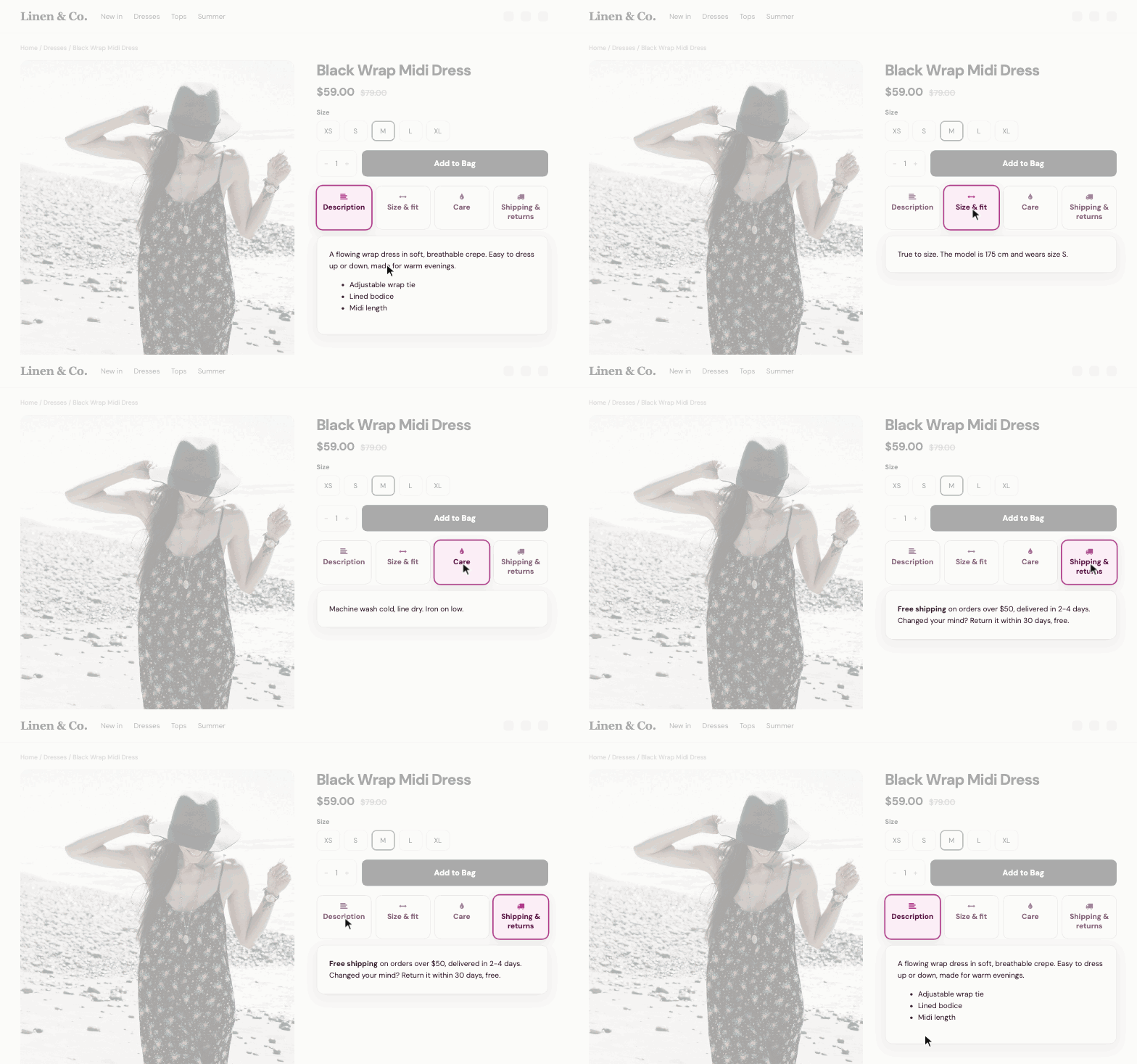
- 6 layouts: classic tabs, underline, pills, cards, vertical and a +/− accordion
- Tabs on every product, written once: shipping, returns, warranty
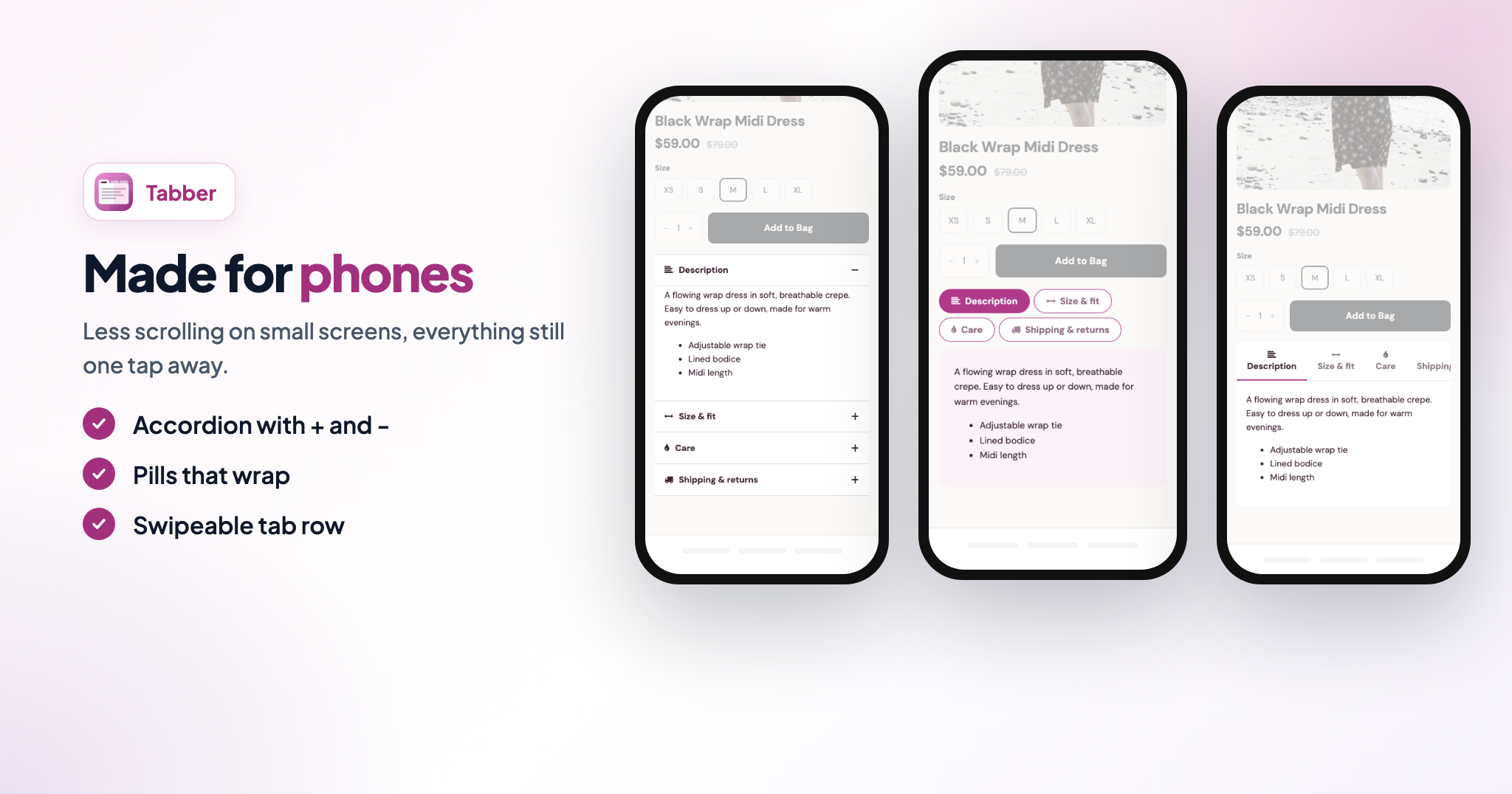
- Made for phones, with a live preview of your store
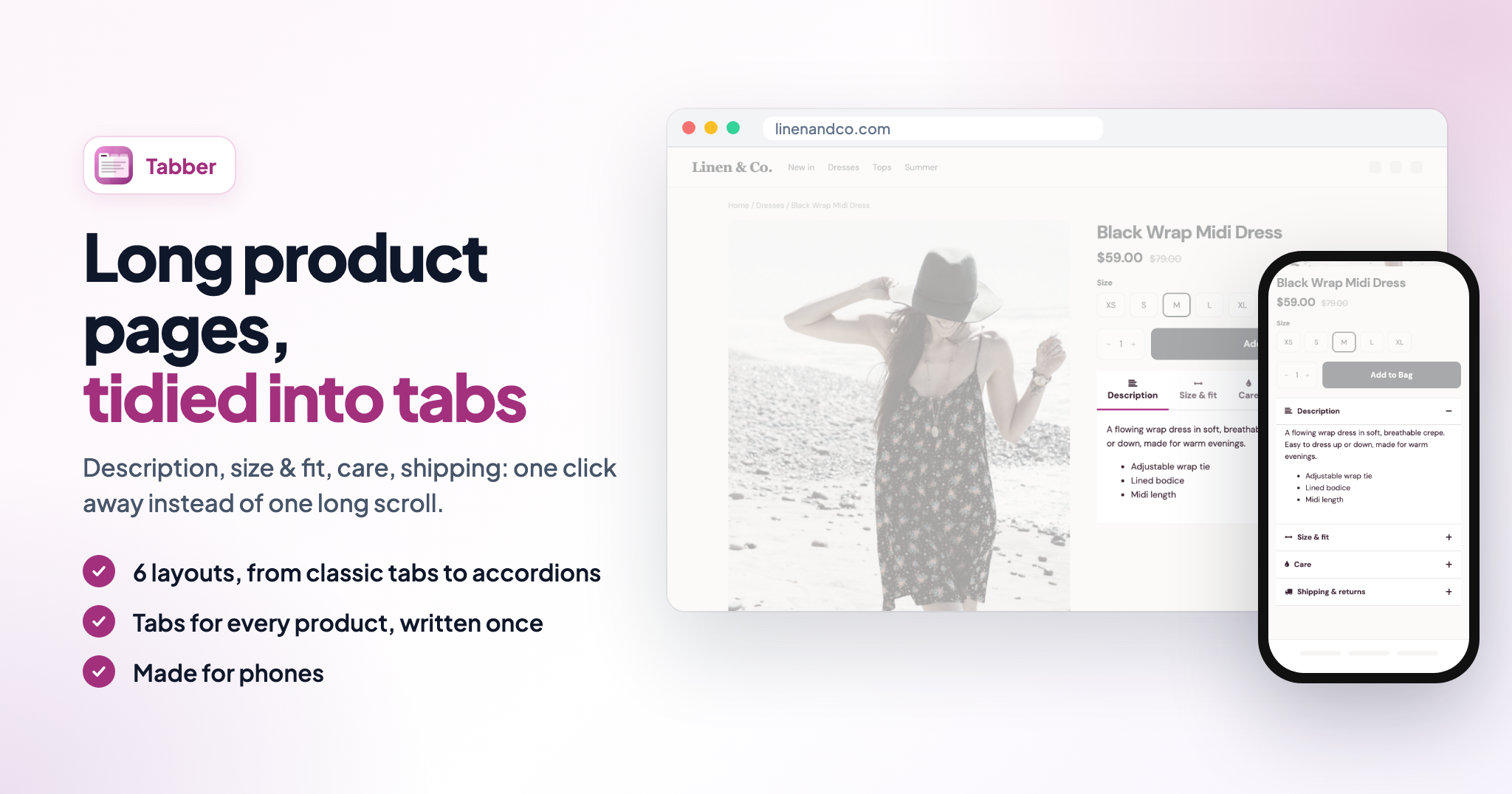
Long product pages, tidied into tabs
Shoppers want answers fast: what it is, how it fits, how to care for it, when it arrives. Tabber puts each answer one click away instead of one long scroll, so product pages look cleaner and shoppers find what they need before they buy.
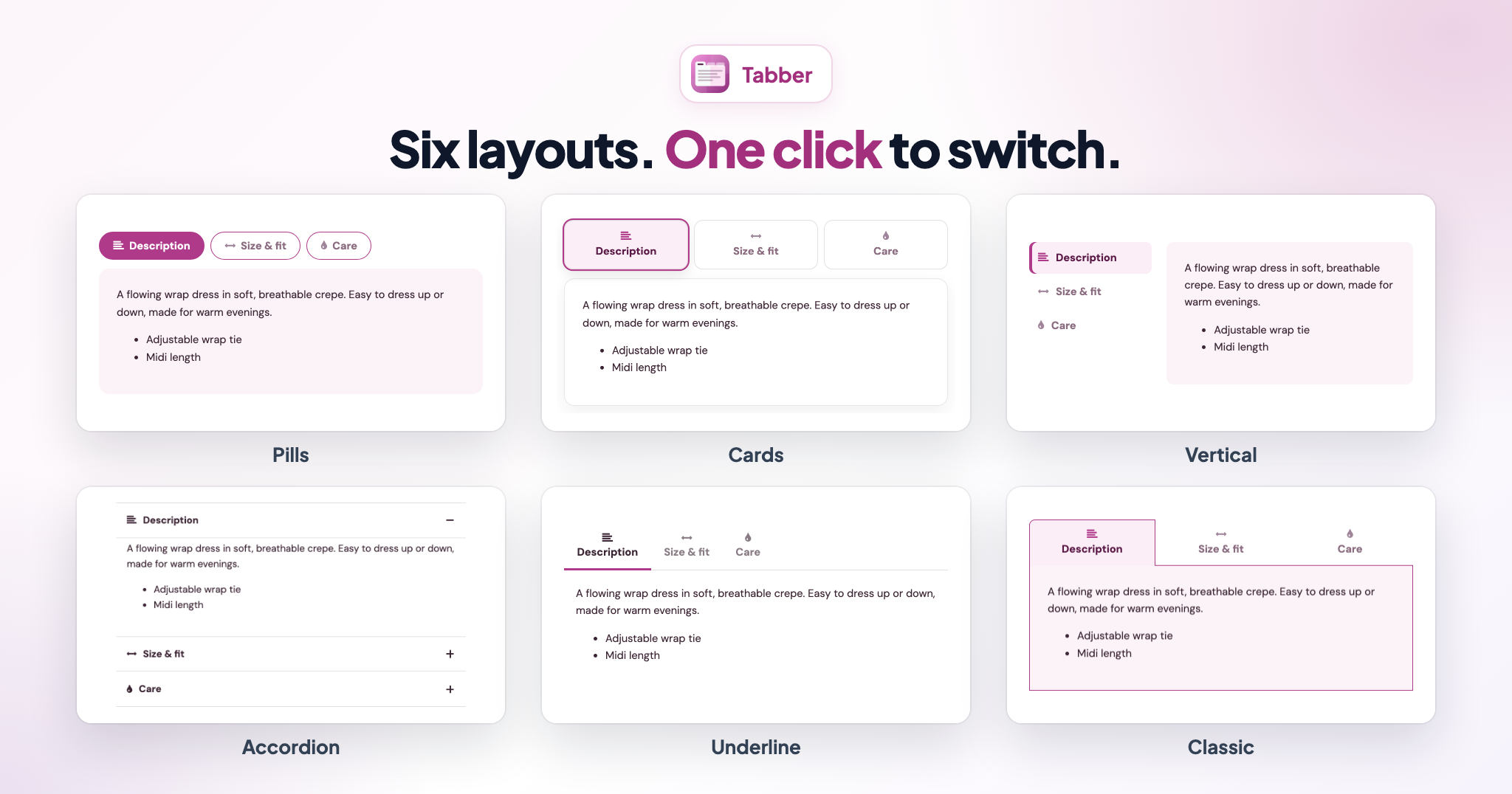
Six layouts, one click to switch
Classic tabs with six themes, a clean underline, rounded pills, cards, a vertical tab list or an accordion with + and −. They all use your colors, or one of 8 ready-made color themes.
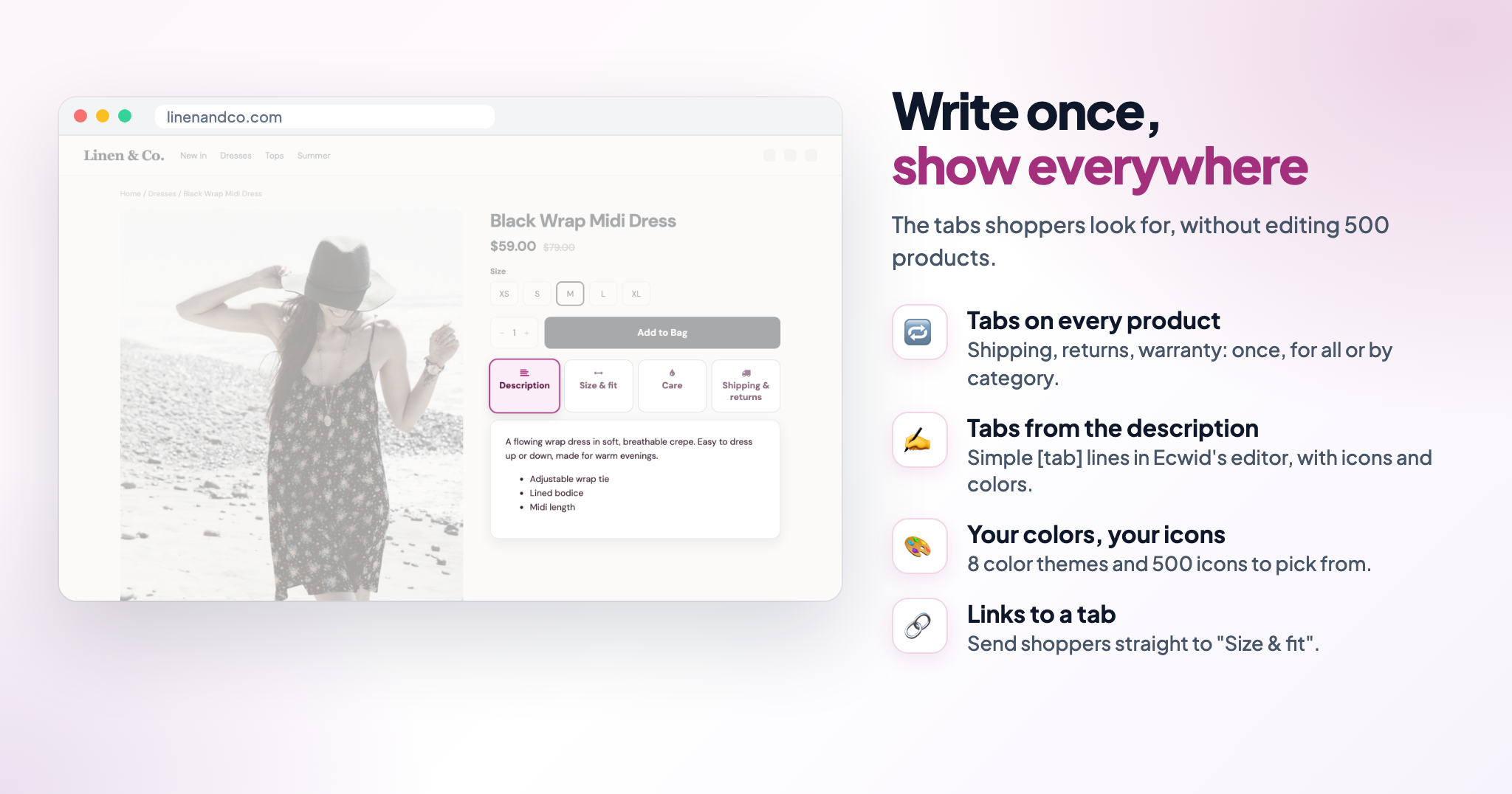
Write once, show everywhere
Add a "Shipping & returns" or "Warranty" tab in the app and it appears on all your products, or only in the categories you choose. You don't need to edit hundreds of product descriptions, and every tab can be written in each of your store's languages.
Tabs from the product description
For product-specific tabs, add a simple line in product editor:
[tab name='Size & fit' icon='fa-arrows-h']
Everything after that line becomes the tab's content. You can give each tab its own icon (500+ to choose from) and color.
Made for phones
On phones, tabs can become an accordion, wrapping pills or a row shoppers swipe through. You choose a separate layout for phones and computers.
Small touches that help you sell
- Link straight to a tab, like #tab-size-fit, from emails or ads
- Works with a keyboard and with screen readers
- Place the tabs under the photos, in the side column or full width under the product
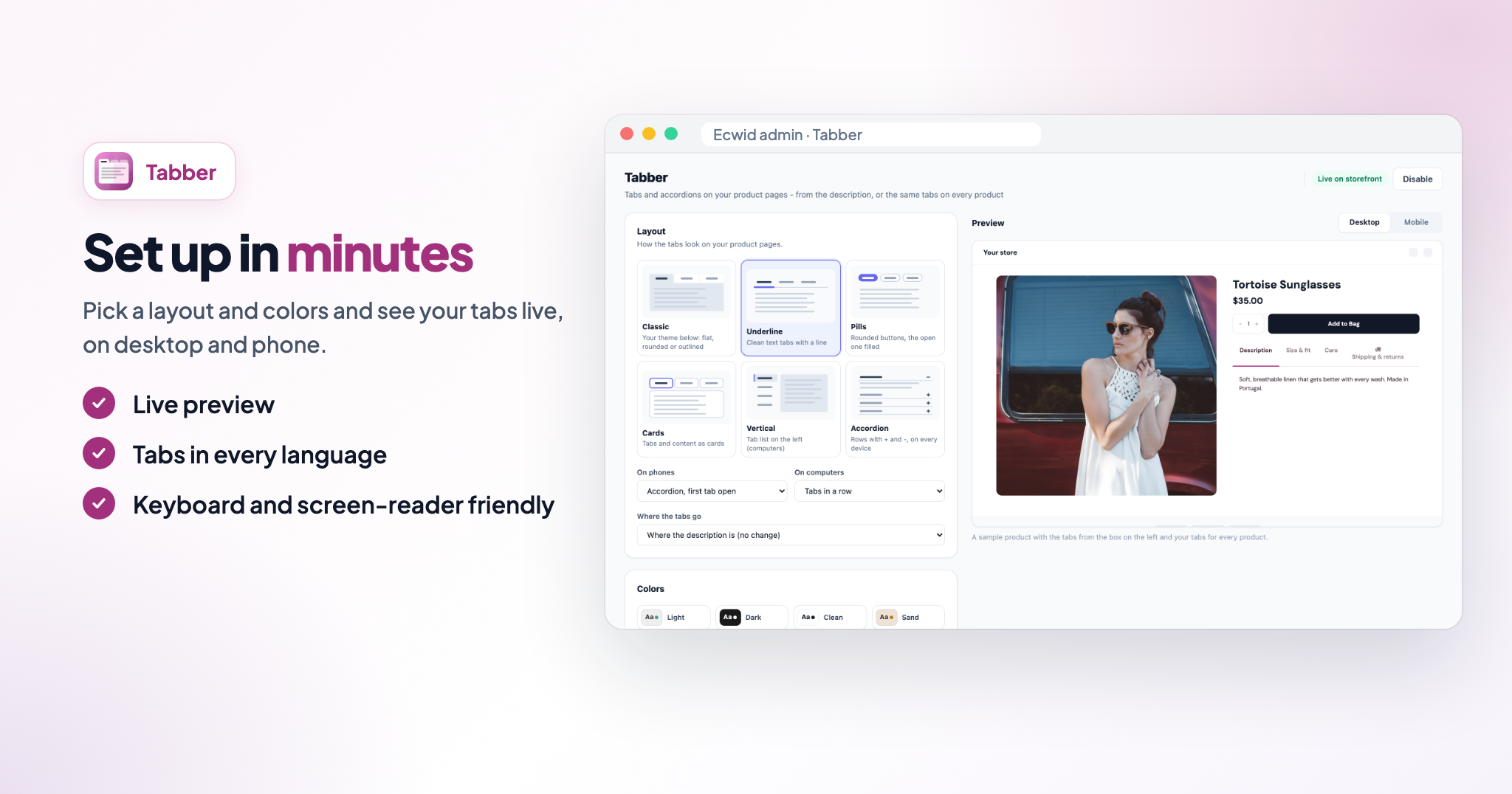
- A live preview in the app, on desktop and phone
How it works
1. Install Tabber and pick a layout and colors.
2. Add tabs for every product in the app, or [tab] lines in your product descriptions.
3. Check the live preview and switch the app on.
FAQ
Do I need to change my existing descriptions?
No. Tabs you already added with [tab] keep working exactly as before. Tabs for every product don't need any description changes at all.
Can I show different tabs on different products?
Yes. Write product-specific tabs in each description, and add shared tabs for all products or chosen categories in the app.
Does it work on mobile?
Yes. Choose stacked tabs or an accordion for phones, separately from computers.
Can I match my store's design?
Yes. Choose one of 8 color themes or set your own colors, text sizes and icons, and add custom CSS if you need more.
Shoppers want answers fast: what it is, how it fits, how to care for it, when it arrives. Tabber puts each answer one click away instead of one long scroll, so product pages look cleaner and shoppers find what they need before they buy.
Six layouts, one click to switch
Classic tabs with six themes, a clean underline, rounded pills, cards, a vertical tab list or an accordion with + and −. They all use your colors, or one of 8 ready-made color themes.
Write once, show everywhere
Add a "Shipping & returns" or "Warranty" tab in the app and it appears on all your products, or only in the categories you choose. You don't need to edit hundreds of product descriptions, and every tab can be written in each of your store's languages.
Tabs from the product description
For product-specific tabs, add a simple line in product editor:
[tab name='Size & fit' icon='fa-arrows-h']
Everything after that line becomes the tab's content. You can give each tab its own icon (500+ to choose from) and color.
Made for phones
On phones, tabs can become an accordion, wrapping pills or a row shoppers swipe through. You choose a separate layout for phones and computers.
Small touches that help you sell
- Link straight to a tab, like #tab-size-fit, from emails or ads
- Works with a keyboard and with screen readers
- Place the tabs under the photos, in the side column or full width under the product
- A live preview in the app, on desktop and phone
How it works
1. Install Tabber and pick a layout and colors.
2. Add tabs for every product in the app, or [tab] lines in your product descriptions.
3. Check the live preview and switch the app on.
FAQ
Do I need to change my existing descriptions?
No. Tabs you already added with [tab] keep working exactly as before. Tabs for every product don't need any description changes at all.
Can I show different tabs on different products?
Yes. Write product-specific tabs in each description, and add shared tabs for all products or chosen categories in the app.
Does it work on mobile?
Yes. Choose stacked tabs or an accordion for phones, separately from computers.
Can I match my store's design?
Yes. Choose one of 8 color themes or set your own colors, text sizes and icons, and add custom CSS if you need more.
Reviews
Support
Made by Infinite Apps
Contact developer at admin@infiniteapps.net
Strictly Necessary Cookies (Always active)
These cookies are necessary for the website to function and cannot be switched off in our systems. They are usually only set in response to actions made by you which amount to a request for services, such as setting your privacy preferences, logging in or filling in forms. You can set your browser to block or alert you about these cookies, but some parts of the site will not then work. These cookies do not store any personally identifiable information.
Targeting Cookies
These cookies may be set through our site by our advertising partners. They may be used by those companies to build a profile of your interests and show you relevant adverts on other sites. They do not store directly personal information, but are based on uniquely identifying your browser and internet device. If you do not allow these cookies, you will experience less targeted advertising.
Functional Cookies
These cookies enable the website to provide enhanced functionality and personalisation. They may be set by us or by third-party providers whose services we have added to our pages. If you do not allow these cookies then some or all of these services may not function properly.
Performance Cookies
These cookies allow us to count visits and traffic sources, so we can measure and improve the performance of our site. They help us know which pages are the most and least popular and see how visitors move around the site. All information these cookies collect is aggregated and therefore anonymous. If you do not allow these cookies, we will not know when you have visited our site.